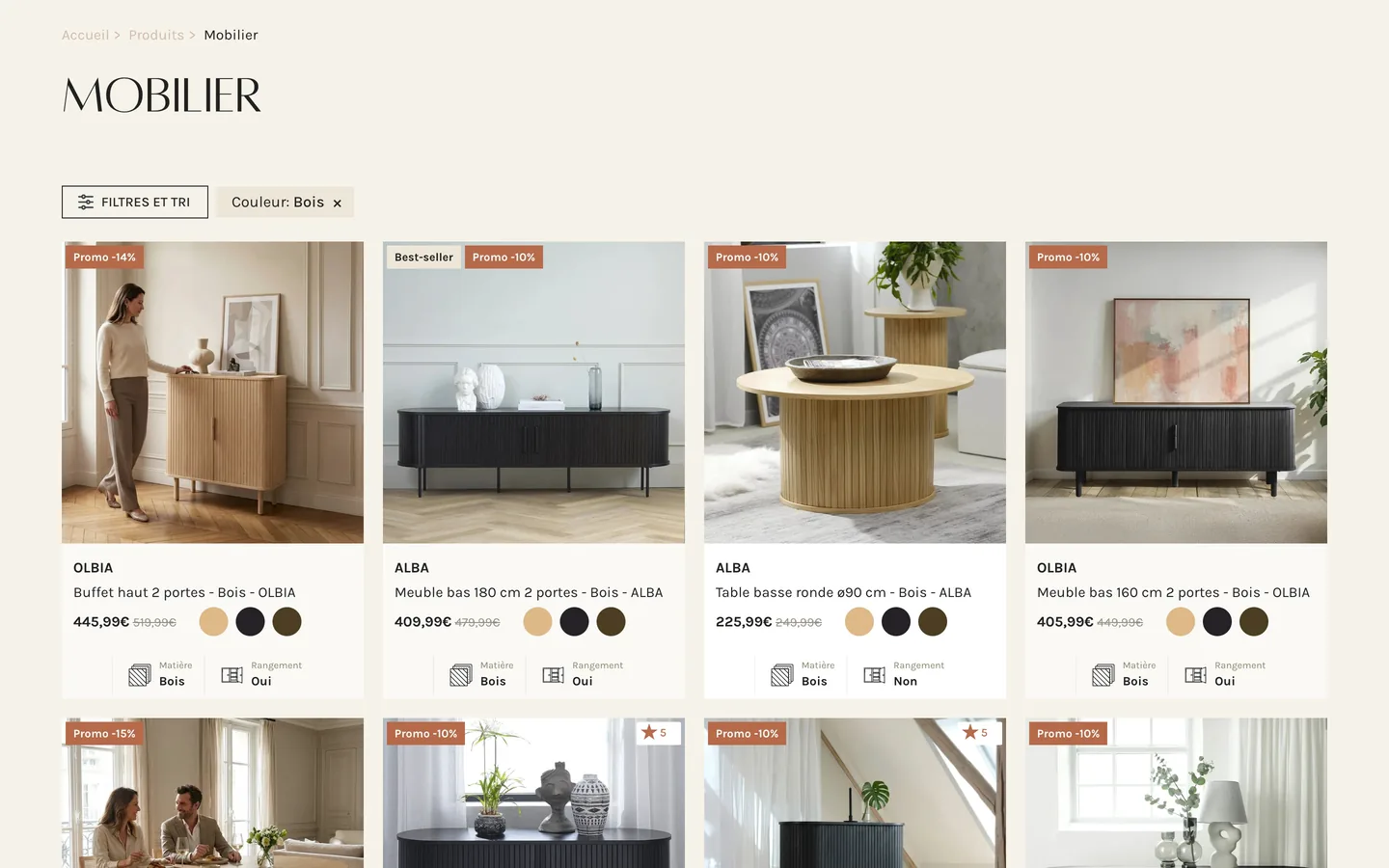
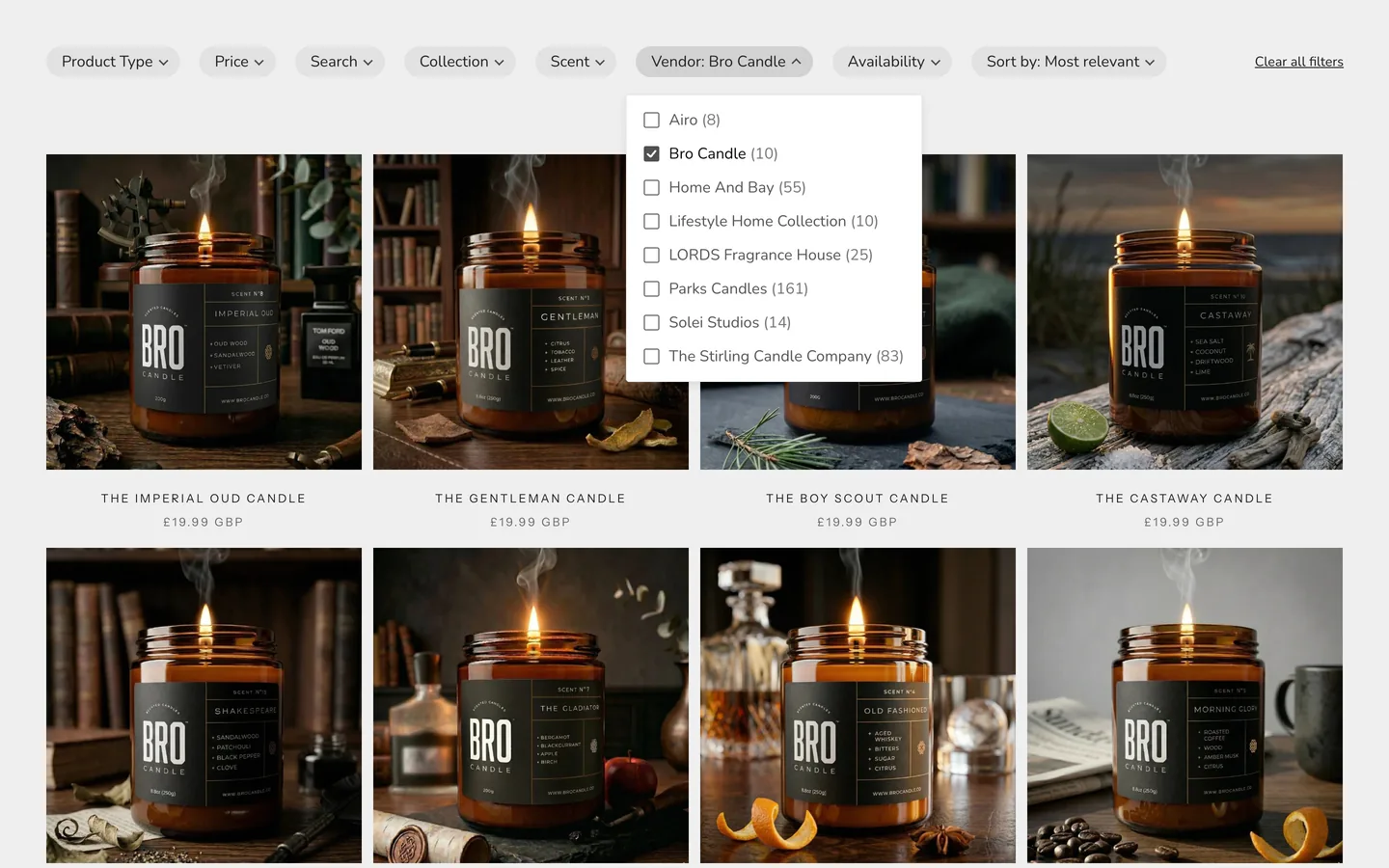
Search and filters that fit
right into your theme

Instant search and collection filters for Shopify that keep your theme's own pages and product cards. It fits into your theme automatically, with experts on hand to perfect the match.

Free search for up to 100 products Pro from $9 a month 14-day free trial

See it on popular themes:

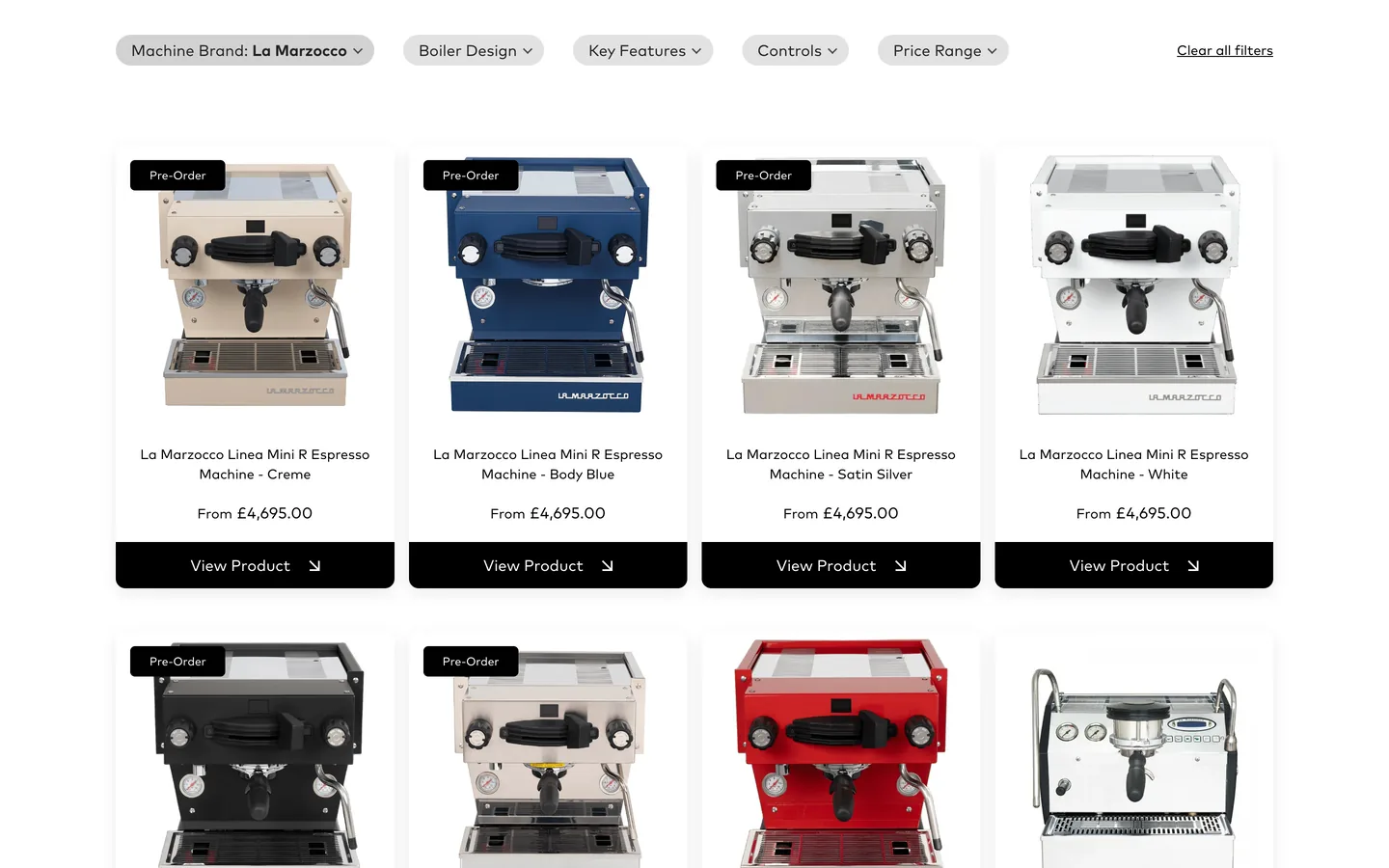
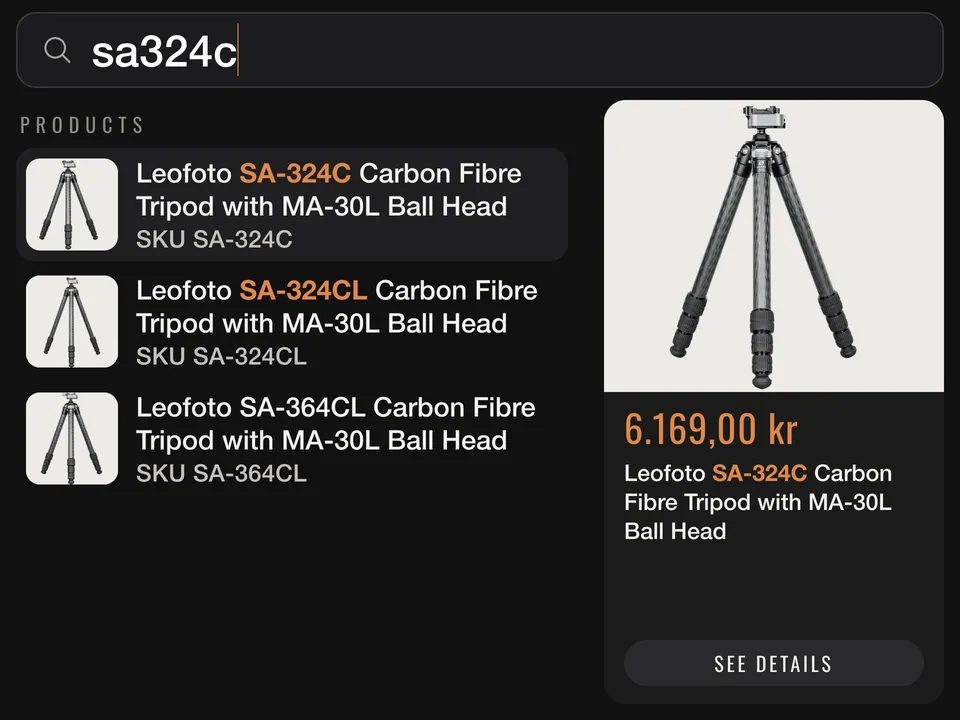
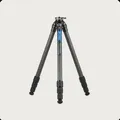
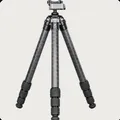
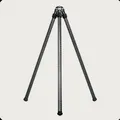
Camera gear store on Prestige: the shopper ticks product types in the filter sidebar and the theme's dark product grid updates in place; on phones, Tripods and a weight slider moved to 1.7 kg in the filter drawer leave four carbon tripods
Prestige · camera gear
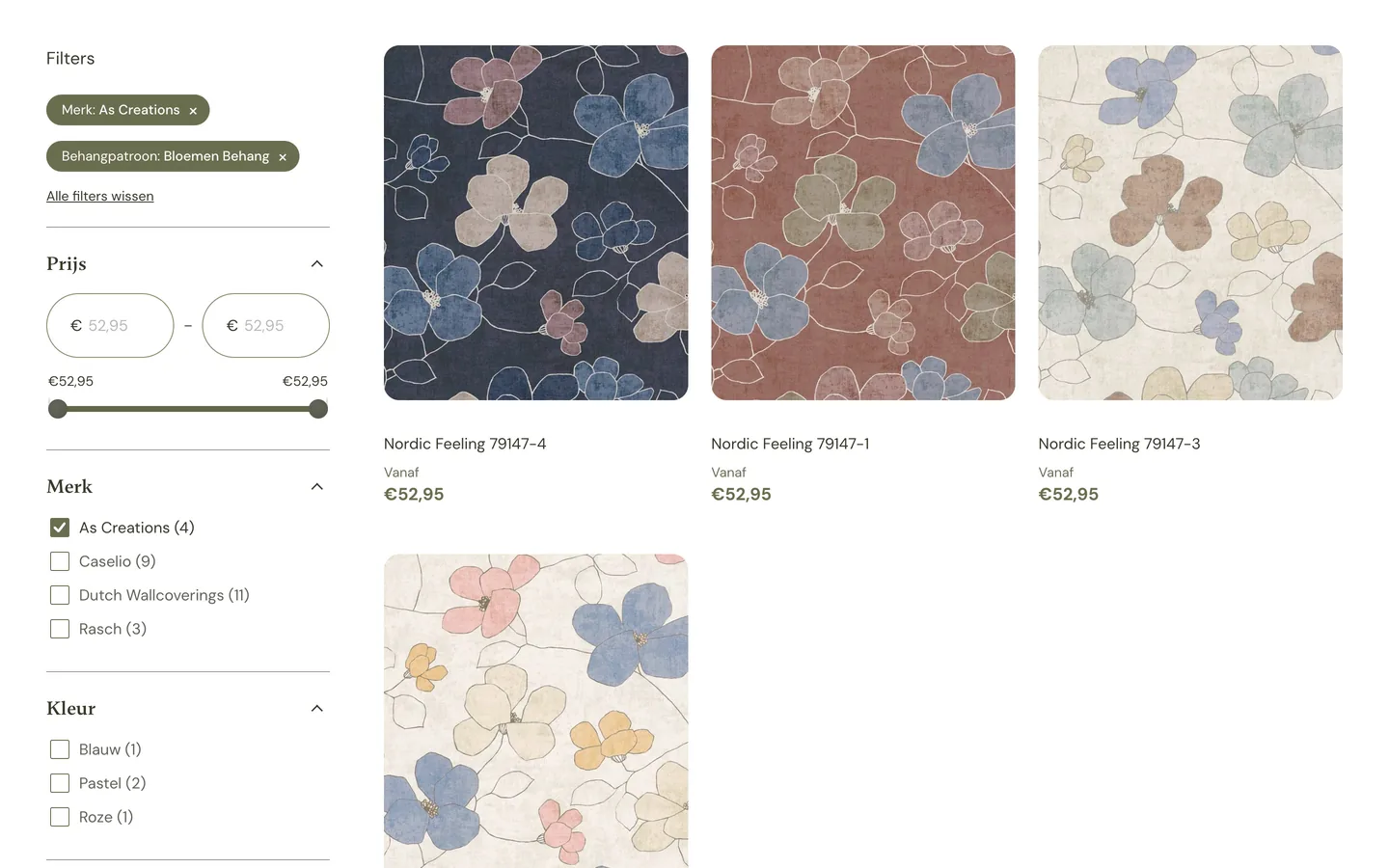
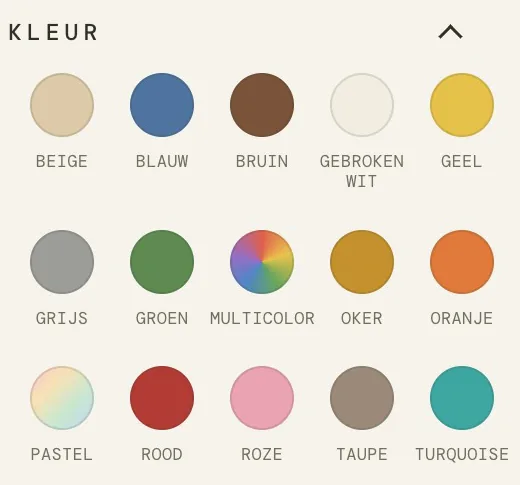
Wallpaper store on Horizon: the shopper clicks the green colour swatch, then pink, and the theme's grid of floral wallpapers swaps in place under olive filter chips, next to swatches that include a rainbow multicolour and a pastel gradient
Horizon · wallpaper
Wine store on Dawn: the shopper picks Stellenbosch under Region, Pinotage under Grape and a price from €20 to €30 in the filter sidebar, and Dawn's product cards narrow from 59 wines to 2 under a growing row of active filters
Dawn · wine
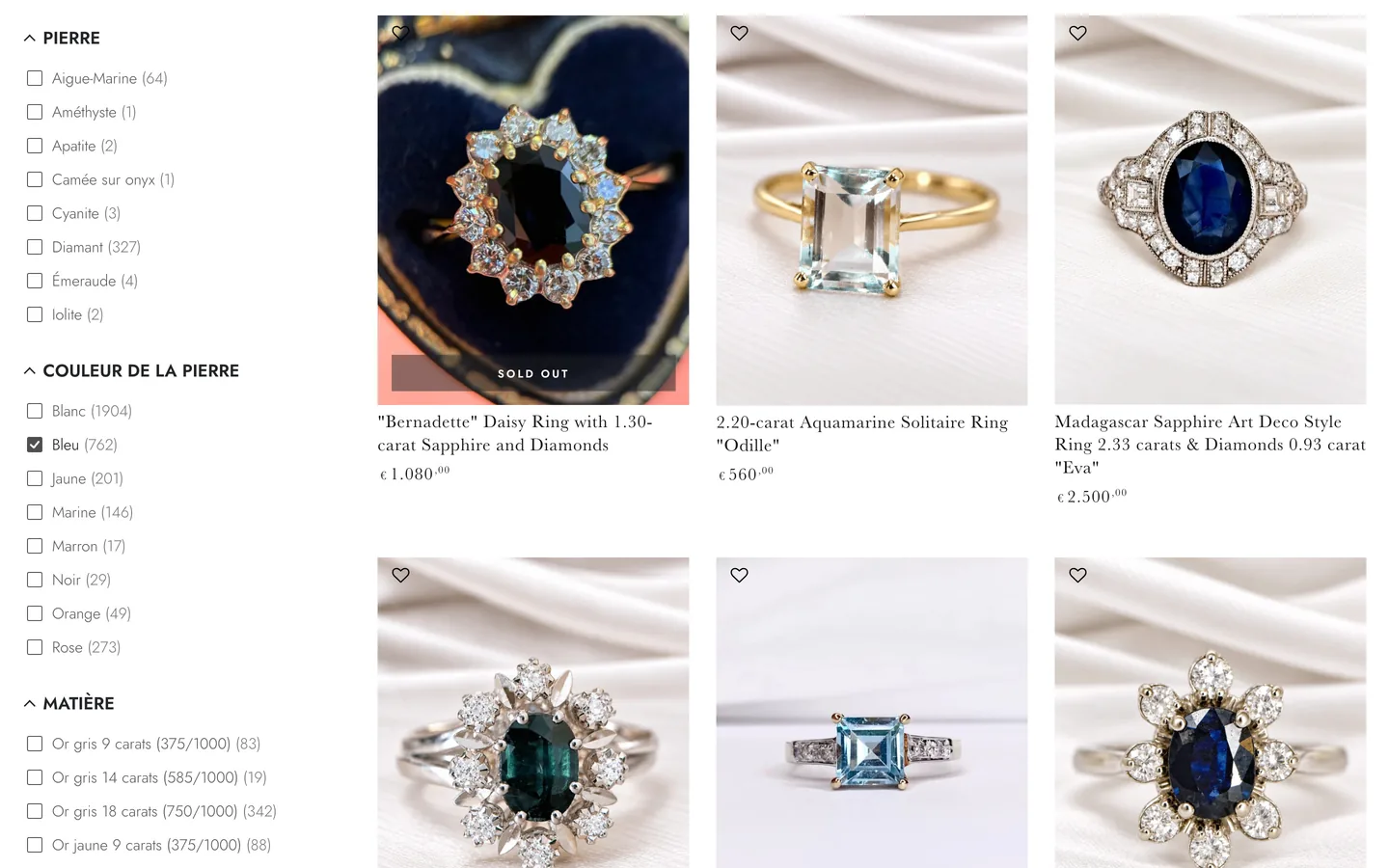
Fine jewellery store on Impulse: “sapphire ring” typed into search fills the search dropdown with sapphire rings and a product preview, then the blue stone photo under Gemstone Colour leaves blue-stone rings in the theme's grid; on phones, the same search opens full screen with prices, and the blue stone in the Gemstone Colour sheet shows 8 blue rings
Impulse · fine jewellery
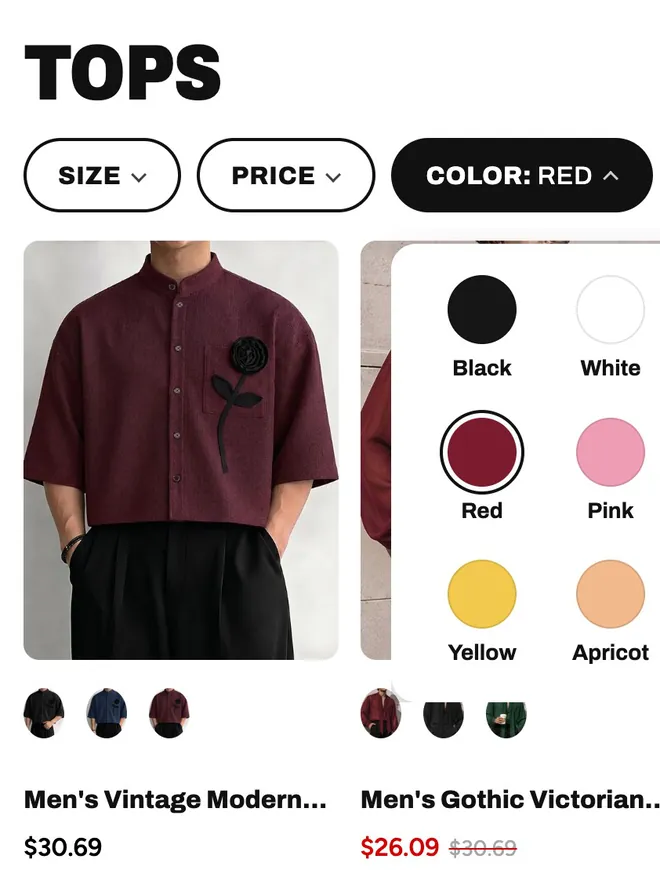
Fashion store in Impact's style: the shopper clicks the red colour swatch and every product card switches to its bordeaux variant's photo and price, then Blazers leaves 30 bordeaux blazers
Impact · fashion
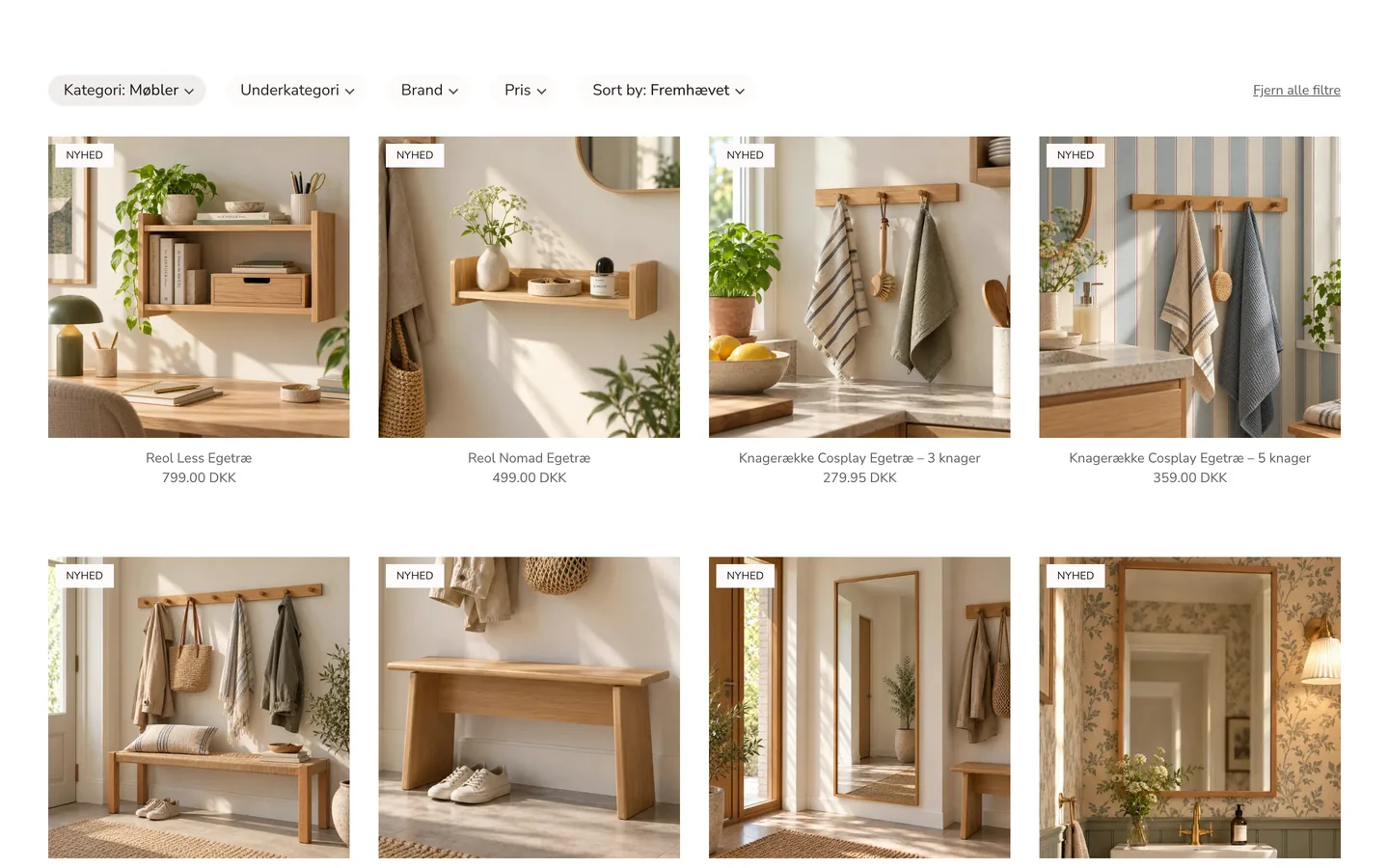
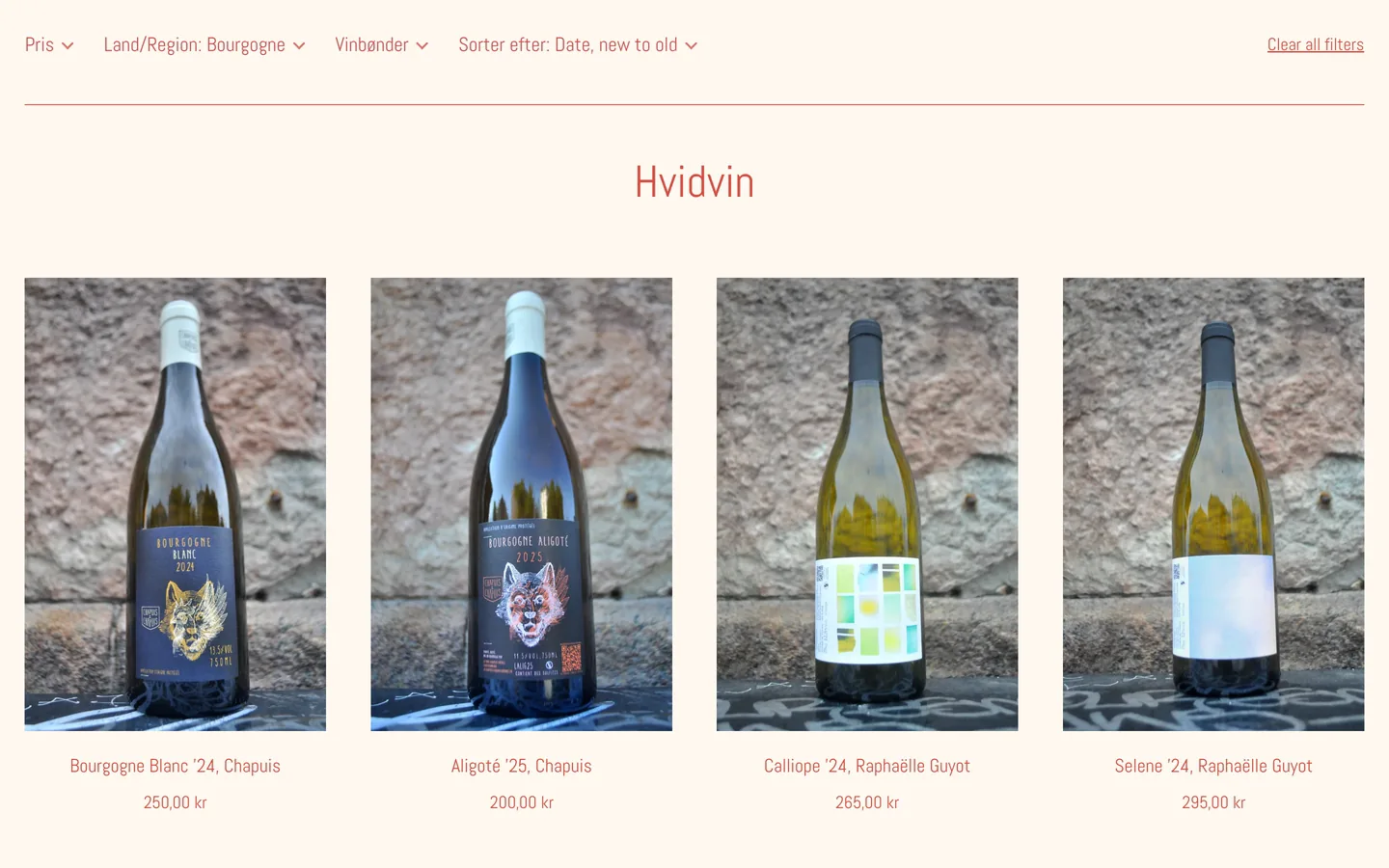
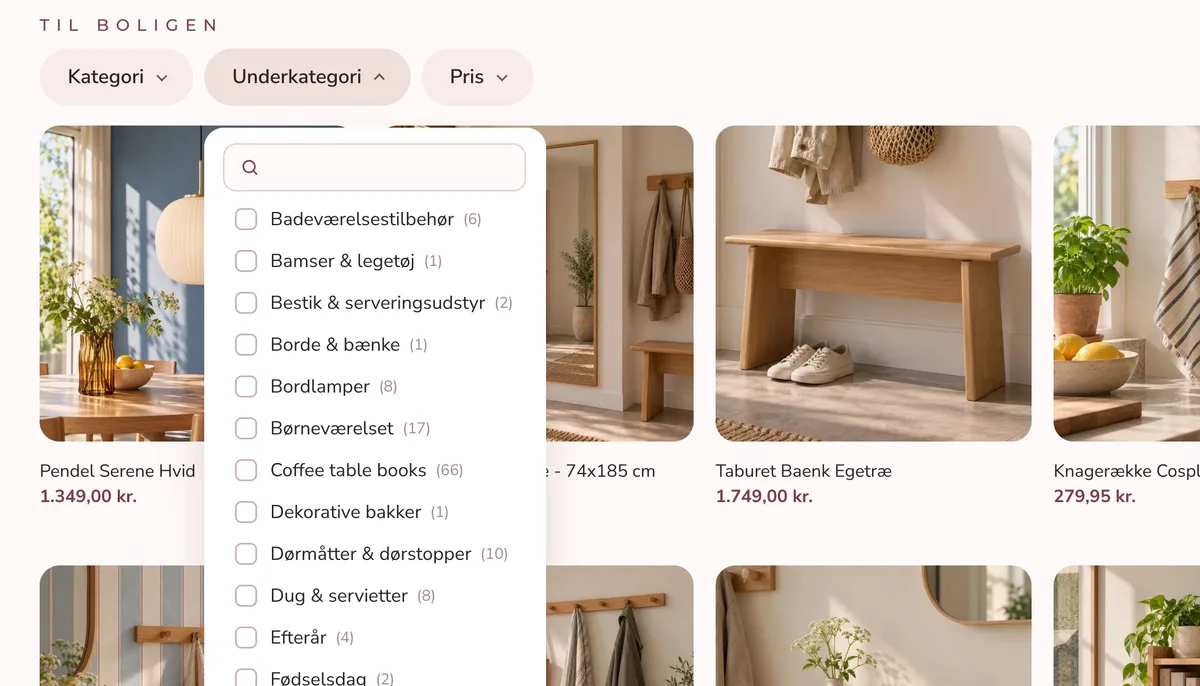
Danish home décor store on Symmetry: filters in the theme's blush pills; the shopper types “spe” into Underkategori, ticks Spejle and the grid turns into mirrors, then a drag on the Pris slider leaves one row of four; on phones, “lysestage” typed into full-screen search fills a grid with candle holders
Symmetry · home décor
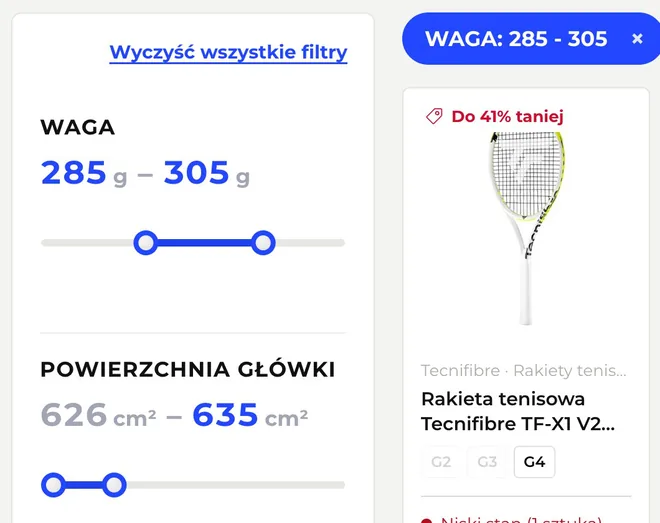
Tennis store on Enterprise: the shopper drags the weight slider to 285–305 g and the head size slider to 626–635 cm², and the theme's racket cards update after each count button; on phones, a full-screen filter drawer updates every count while the weight slider moves to 285–305 g, then shows the 78 matching rackets
Enterprise · tennis
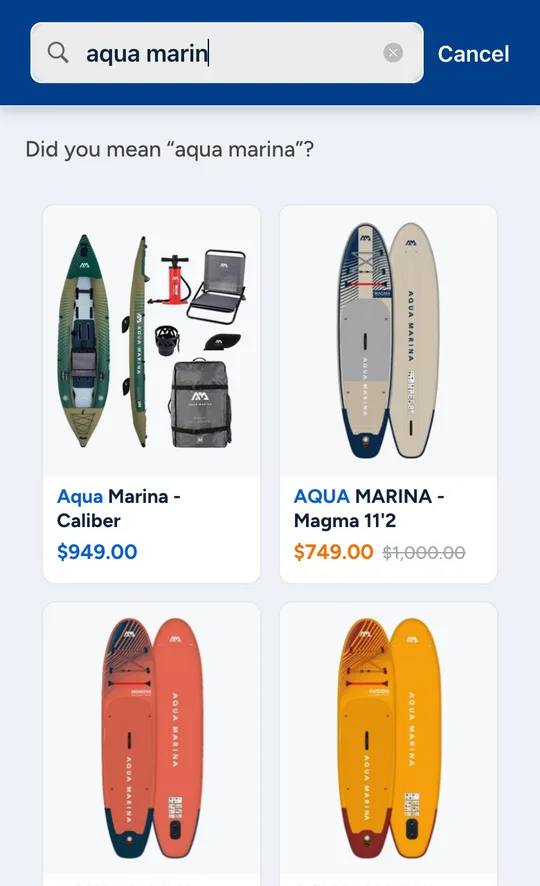
Paddle board store on Warehouse in French and English: the shopper ticks a board length of 11 feet and switches between Français and English, and filter labels, product titles, the filter chip, the product count and prices change language with the store; on phones, “aqua marina” typed into full-screen search shows four boards, three of them on sale
Warehouse · paddle boards
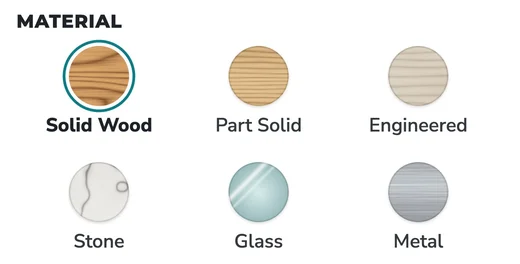
Furniture store on Empire: the shopper picks Rectangular Dining Tables, the solid wood image swatch and a width from 250 cm on the slider in the filter sidebar, and mixed furniture narrows to three dining tables 250 to 280 cm wide
Empire · furniture
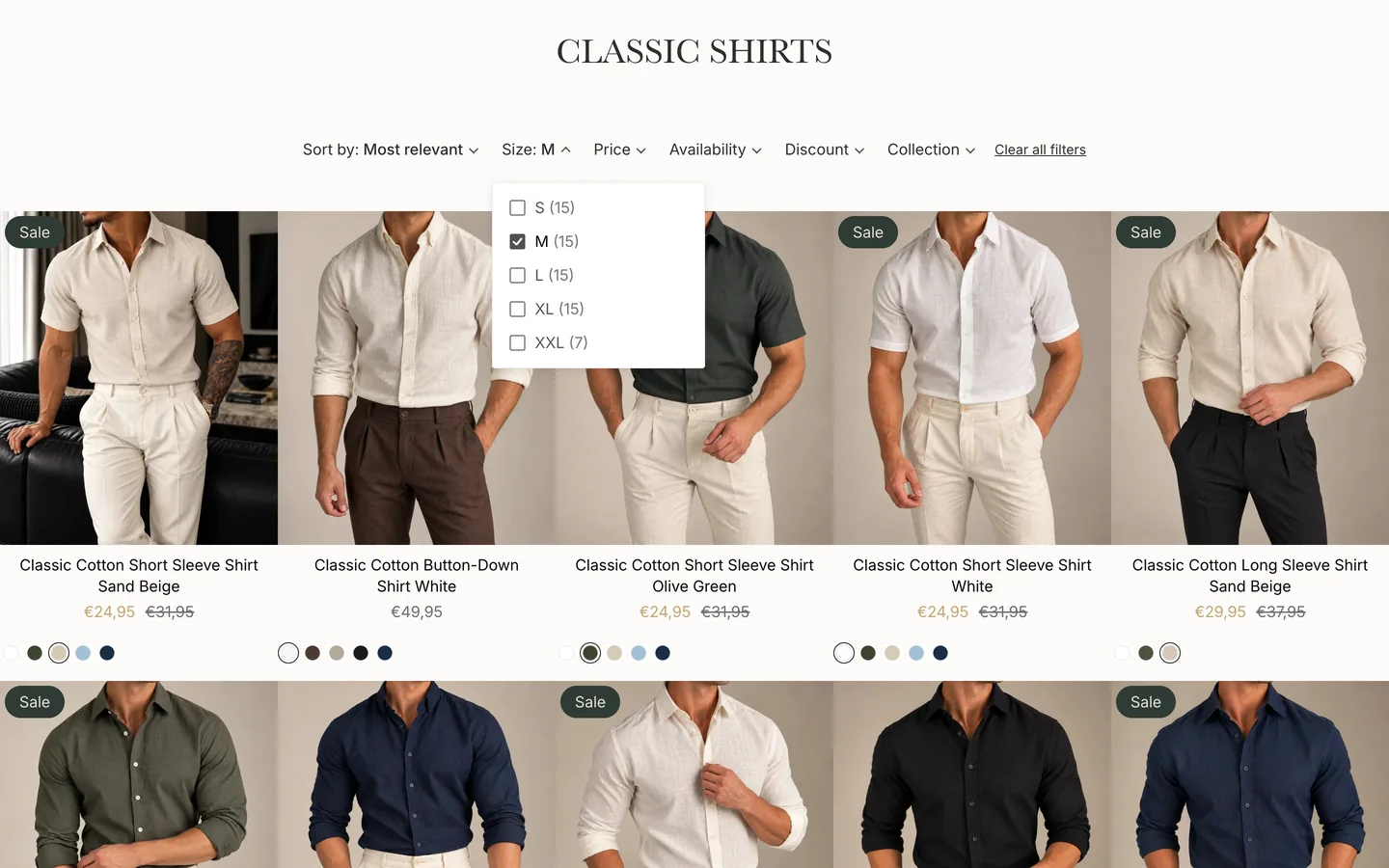
Menswear store on Broadcast: ticking Size M sets each card to its size M price, and ticking In stock drops the sold-out shirts, with the theme's colour dots and sale prices kept; on phones, “knit polo” typed into full-screen search lists polos with prices
Broadcast · menswear
Thousandsof live Shopify stores
500+Shopify Plus stores
95countries
2.8Mproducts in our largest catalog

Native theme integration

Your theme, preserved

Many filter apps draw their own product grid and try to make it look like yours. XCloud Search & Product Filter keeps your theme's pages as they are and adds search and filters to them, so filtered and search pages look and work like the rest of your store.

You keep

Your theme

Its collection and search pages, sections, product cards and settings.

We add

Search and filters

Added to your pages, with every section, product card and setting left as it is.

Shoppers get

Your own pages, filtered

Shopify renders your page, with your product cards, badges, prices and quick view, now showing filtered results.

Sections around the grid

Banners, rich text, FAQs and collection lists you place on your collection page stay on filtered pages.

Theme blocks

Block-based themes such as Horizon work the way they do on the rest of your store.

AI blocks from Sidekick

Ask Sidekick to generate a block, place it on your collection page, and filtered pages show it too.

Custom Liquid and metafields

Custom Liquid and the metafield content you connect in the editor render on filtered pages.

  • Placed for you

    On Dawn, Horizon, Prestige, Impulse, Symmetry and dozens more, filters place themselves above your product grid. Want them in your theme's sidebar? We put them there.

  • Your search box, upgraded

    Keep the search field your theme already has. Shoppers get instant results with photos and prices as they type, full screen on phones.

  • Try it on any theme

    It works automatically on every theme in your library. Preview it on a draft or a new theme before your live store changes.

…they made the filter be in the default location/have the same look. You would not know that it is a 3rd party app now!!
MYKIT, United Kingdom

Running on hundreds of different themes. The app never edits your theme's files, so uninstalling leaves your theme exactly as it was.

Features

Everything shoppers need to find what they came for

Filters built from your catalog

Turn the data you already have into filters shoppers love, on every collection, search, vendor and product type page.

  • Tags, product types, vendors, variant options, metafields and metaobjects
  • Combine sources into one filter, such as sizes stored in options and in a metafield
  • Different filters on each collection, with any-or-all matching and values in your own order
  • Updates in place without a page reload, and every filtered view has its own link to share
Home décor store on Symmetry: the Underkategori filter open under the theme's blush pill filters, a search field above its subcategories and a product count beside each one
Symmetry

Full-screen search on phones

It opens at the first tap, and results appear as shoppers type, with images and prices.

Full-screen search on a phone: “aqua marin” typed, the line “Did you mean “aqua marina”?” and paddle boards with photos and sale prices
Warehouse
A filter panel with weight and head size sliders set to 285–305 g and 626–635 cm², the chosen values in blue, beside a tennis racket card
Enterprise

Price, stock and every number

Price, discount and stock filters, and sliders for numbers such as width or wattage.

Swatches

Colour, gradient and image swatches, styled to your theme

Show a filter's values as solid colours, gradients or small images, such as a gemstone or a wood finish. Our experts set them up for you.

A colour filter as round swatches with names in monospace capitals: solid colours, a rainbow multicolour and a pastel gradient
Horizon
A material filter as image swatches of solid wood, part solid wood, engineered wood, stone, glass and metal, with Solid Wood selected in a teal ring
Empire
A gemstone colour filter as a strip of stone photos labelled Black, Blue, Green, Grey and more
Impulse

Variants

The colour they picked, in stock

Colour, size and In stock match the same variant, and product cards can show that variant's photo and price.

An open Color filter with the red swatch ticked, next to a shirt card that now shows its bordeaux variant's photo and price
Impact

Search reports

See what shoppers search for

Top searches and searches with no results, also by weekly email.

★★★★★
“I receive weekly emails teling us of our Top Ten searches, both with and without results. This allows me to monitor anything that needs attention and rectify the issues.”
Torwood Garden Centre, United Kingdom

Merchandising

Shape what they find

  • Promote products for chosen search terms, right from the product page in Shopify admin
  • Rank bestsellers, new arrivals or your sale collection higher
  • Show sold-out products last, or hide them
  • Keep a collection, or any page, out of search
  • Import and export synonyms and promotions as CSV files
Prestige
★★★★★
“Great app for allowing you to use as many filters as you need. Even groups my product and variant metafields into one filter if they have the same namespace and key.”
Shop Century Tools, United States
★★★★★
“We have seen increased revenue from these searches as compared to the native Shopify search.”
Everything Truck Parts, United States

Under the hood

Fast, always in sync, and built for big catalogs

30 ms

Answers in milliseconds

Our servers answer half of all search requests in about 30 ms, across hundreds of millions of search and filter requests a month.

<3 s

Real-time sync

At a typical store, product, price and stock changes reach search in under 3 seconds.

8 KB

Light on your pages

Pages without filters load one 8 KB script from Shopify's CDN, and your theme renders without waiting for it.

2.8M

Catalogs of any size

XCloud Search & Product Filter runs stores with a few hundred products and stores with millions. The largest catalog has 2.8 million.

35+

Languages and markets

Shopper-facing texts come in more than 35 languages, and each market sees its own products.

0 cookies

Private by design

No access to your orders or customers, no cookies, and search runs on our own servers in Germany.

This app easily solved our problem for filtering large collections (500,000+ products) that Shopify's standard filtering could not.
Iron Wing Parts, United States

Setup and support

Works in your theme from day one, with experts on hand

XCloud Search & Product Filter integrates with your theme automatically. When you want it to match your theme even better, our experts adjust it for you, at no extra cost.

  1. Install and turn on the app embed

    Your catalog is indexed automatically, search and filters appear in your theme, and you can preview filters on your store before you switch them on.

  2. We fine-tune it to your theme

    Want filters in your theme's sidebar, or a custom touch? Approve our collaborator request, and we place the filters where your theme's own were and match its fonts and colours.

  3. Help whenever you need it

    Filtered pages follow theme edits and updates on their own. If we added a sidebar or custom code, write to us after a theme change and we move it over.

5.6 hmedian first reply
96%answered within 24 hours
100+stores with app changes made just for them

Replies measured over the last 12 months.

“…during the first 3 days of our trial, they sorted out all of the custom requirements we had. That's why I then pushed the Upgrade button.”
P1Spec, Hong Kong SAR
“…the issue wasn't even with XCloud! It was a CSS conflict caused by another app. Rather than simply telling us it wasn't their problem, they took the time to investigate, explain the issue clearly, and provide detailed technical information we could share with the other app's developers.”
Fly Me Flag, United States

Compared with Shopify's free filters

For when Search & Discovery isn't enough

Shopify's free Search & Discovery app is a fine start for a small catalog. Merchants move to XCloud Search & Product Filter when they outgrow it.

Search & DiscoveryXCloud Search & Product Filter
Filters per storeUp to 25Up to 2,000
Collections with more than 5,000 productsNo filtersFilters work
Values shown per filterUp to 100All of them
Different filters on each collectionOne list for the whole storeChosen per filter
Filter counts on search resultsFrom the first 1,000 resultsFrom every match
Themes without built-in filter supportNo filtersFilters work

Search & Discovery limits as documented in Shopify's help center.

While Shopify's Search and Discovery limits us to a maximum of 25 filters, the XCloud App allows us to go beyond that limit.
Atlantico.ro, Romania

Reviews

Rated 4.9 by more than 500 merchants

Every review from the past 12 months gave 4 or 5 stars. Read them on the Shopify App Store

Technical filters

★★★★★
“The most useful and important addition to any store dealing with more detailed/technical filters. Seriously worth every penny.”
Pedal PassionAustralia

Switched from another app

★★★★★
“I've been using the XCloud Search app for a couple months now and it is WAY better and WAY cheaper than the one I was previously using. Definitely recommend.”
AvesonUnited States

Support satisfaction

★★★★★
“What really stands out is the customer support — fast, knowledgeable, and genuinely helpful.”
Fusion Body ArtAustralia

Pricing

Simple pricing by catalog size

Your price depends only on the number of active products in your online store.

Free

$0

Search only, up to 100 products

  • Instant search
  • Search reports
  • 3 promotions and 3 synonyms
  • Daily catalog sync

Collection filters start with Pro. Shows a small “Search powered by CloudSearch” label.

Install free

Enterprise

$49/month

Up to 100,000 products

  • Everything in Pro
  • Priority support
  • Catalogs of millions of products

Larger catalogs are priced individually.

Contact us
  • No limits on traffic. Your price never depends on visitors, sessions or searches, so a sale or a busy season never changes your bill.
  • Price follows your catalog, not your sales. Growing revenue never moves you to a higher plan.
  • Same price on Shopify Plus. Plus stores pay exactly what every other store pays.
  • Nothing saved for a pricier tier. The $9 plan already has collection filters, real-time sync and setup help from our experts.

FAQ

Questions merchants ask

Something else? Write to support@cloudsearchapp.com, and the developers who build the app answer.

Will it replace my collection pages or product cards?

No. XCloud Search & Product Filter keeps your theme's own collection and search pages, and filtered results are shown with your theme's templates, so your page layout, sections and product cards stay exactly as they are. Keep customizing in the theme editor as usual: new sections, theme blocks, custom Liquid and AI blocks from Sidekick show up on filtered pages too.

Do I need a developer to set it up?

No. Search and filters work in your theme as soon as you turn on the app embed. If you'd like filters in your theme's sidebar or a custom touch, our experts do it at no extra cost: approve our collaborator request, and we place the filters in your theme and match its fonts and colours. Need something else? Just ask.

Can I try it on another theme first?

Yes, and it works there automatically. Turn on the app embed in any theme in your library, a copy of your live theme or a new one from the Theme Store, and preview search and filters right away. Your live store doesn't change until you publish. Want a sidebar or a custom touch? We add it for you.

What happens when I update or change my theme?

Turn on the app embed in the new theme. Your filters and settings stay in the app, and filtered pages follow your theme's changes within a minute. If we placed a sidebar or other code in your old theme, write to us and we add it to the new one.

Will it slow down my store?

No. Pages without filters load a single 8 KB script from Shopify's CDN, it loads after your theme, and the search code downloads only when a shopper taps the search box. Before a shopper picks a filter, collection pages are served by Shopify as usual.

How is the price worked out, and what if my catalog grows?

The plan follows the number of active products in your online store. Drafts and variants don't count, and neither do visitors, searches or sales. When your catalog outgrows your plan, the app shows you the next one.

How does the free trial work?

Paid plans start with a 14-day free trial, once per store. If you uninstall during the trial, you aren't charged. After the trial, Shopify bills the plan monthly on your Shopify invoice. Development stores get every feature free.

I'm switching from another search or filter app. What do I need to do?

Install XCloud Search & Product Filter, and we help you move over. Filters are built from the same Shopify data, such as tags, variant options and metafields, so your current filters can be rebuilt.

I'm building a store for a client. How does that work?

Development stores get every feature free, so you can set up search and filters and preview them on a draft theme before handover. Our experts help with the theme the same way they do for any store, and the search and filter API is available for custom builds.

Does it work with Shopify Markets, B2B and other languages?

Yes. Search covers every language your store is translated into, right-to-left included, the search dropdown shows prices in the shopper's currency, and products you don't sell in a market are hidden there. B2B buyers see their own catalog and its prices.

Can developers use it for a headless store or a custom part finder?

Yes. The same search and filter API that powers XCloud Search & Product Filter on your store is available for custom builds. Write to us, and we share the details.

What happens when I uninstall?

The app never edits your theme's files, so uninstalling removes it completely, Shopify ends the subscription, and your store's search statistics are deleted. If we added code to your theme for you, such as a sidebar, we remove it on request. You can also delete the “[XCloud Search app] All products” collection the app creates.

How do I reach support?

Write to support@cloudsearchapp.com or use the contact form in the app. Support comes from the developers who build the app. Half of all questions get a first reply within 6 hours, and 96% within a day. We answer on weekends too.

Where is my store's data processed?

Search and filters run on our own servers in Germany. The app doesn't ask for access to your orders or customers. If your store needs a data processing agreement, write to support@cloudsearchapp.com.


XCloud Search & Product Filter

Keep your theme. Upgrade its search and filters.

Free search for up to 100 products. Pro from $9 a month, with a 14-day free trial.